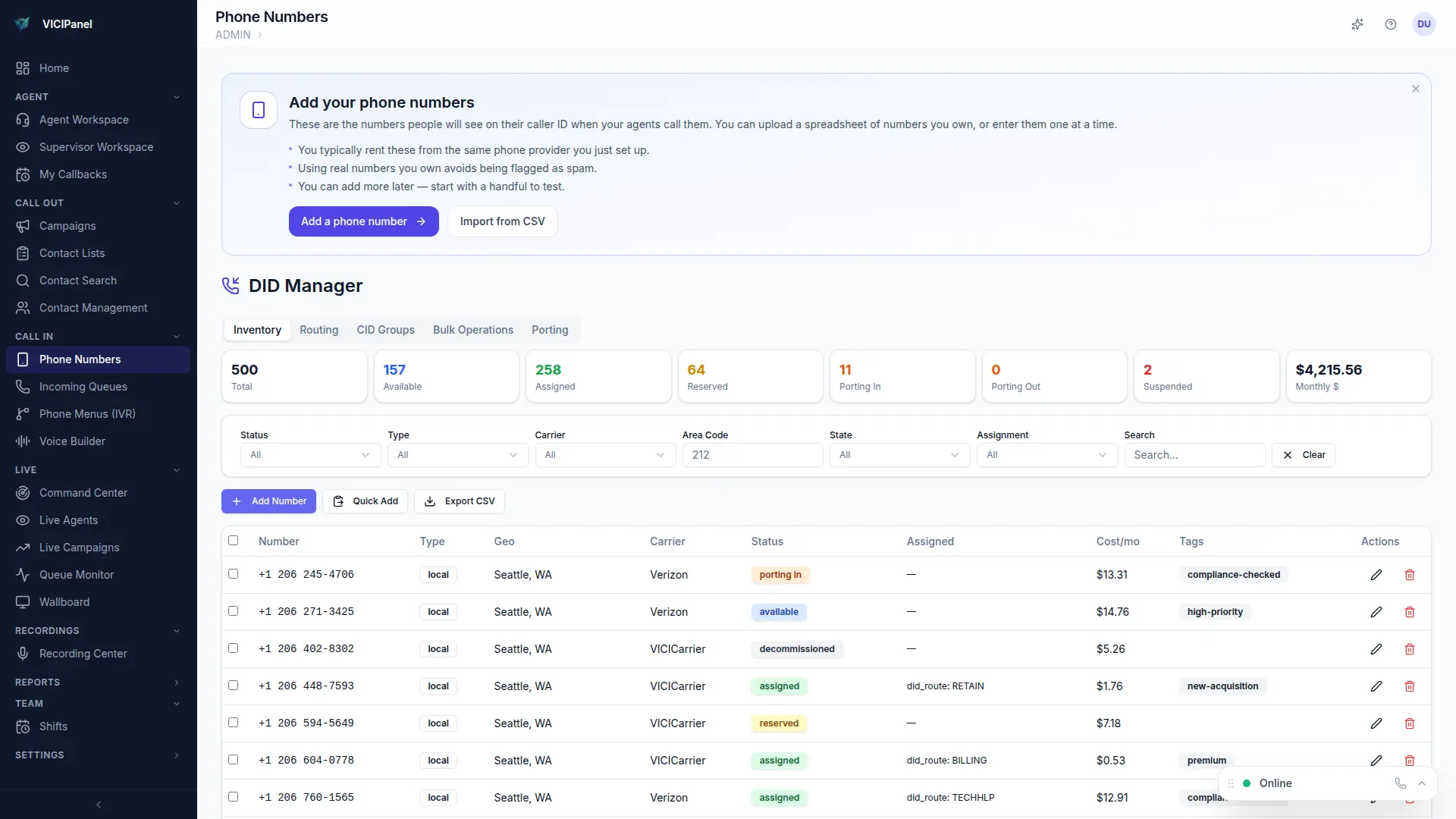
Every phone number you own is a DID. VICIPanel's DID inventory tracks them, labels them with geography, monitors their health (spam-flag status, STIR/SHAKEN attestation), and makes assignment to campaigns or CID groups a drag-and-drop.
Importing DIDs
Admin → DIDs → Import. Paste a list of E.164 numbers from your carrier's order confirmation. Each number is auto-classified with country, state, area code, rate center, and carrier.
Assignment
- Assign a DID directly to a campaign for dedicated outbound display
- Add DIDs to a CID group for local-presence rotation
- Mark DIDs as inbound-only if they should only receive calls, not originate
Health monitoring
The inventory page shows usage volume, last-used timestamp, spam-flag status (via carrier feedback and third-party reputation services), and STIR/SHAKEN attestation level for each DID. Rotate out numbers that are burning before contact rate crashes.
DID Manager, inventory with 500 DIDs, geographic labels, and status